Open-source UAV research pipeline

From drone
imagery to
plant-level data.

Detect individual plants in UAV imagery and locate results on an orthomosaic. Explore the research, then run MatchPlant on your own computer.

Detected plants · confidence
Individual plants. Mapped results.
Example detections from the MatchPlant model
The pipeline

Four stages from image to insight.

Use the modules you need, in a pipeline that connects field imagery to spatial data.

  1. 01Prepare imagery
  2. 02Build the dataset
  3. 03Train and test
  4. 04Locate and analyze
01 / Preprocess

Prepare imagery

Embed GPS data, locate control points, and generate an orthomosaic.

  1. 0GPS Embedder
  2. 1GCP Finder
  3. 2ODM Runner
02 / Dataset

Build the dataset

Select, annotate, tile, and split UAV images.

  1. 3Minimum Image Finder
  2. 4BBox Drawer
  3. 5Image Splitter
03 / Model

Train and test

Train from scratch or fine-tune a model, then evaluate detections.

  1. Choose one training route
  2. 6-1Object Detection Trainer
  3. or
  4. 6-2Transfer Learning
  5. 7Object Detection Tester
04 / Output

Locate and analyze

Project detections and extract spatial traits.

  1. 8Image-to-Ortho Projector
  2. 9Spatial Stats Extractor

11 tools across four stages. The two training routes at step 6 are alternatives; use whichever fits your data.

The tools

Point, click, and run.

Desktop windows for the steps that need a human in the loop, from marking ground control points to extracting plant statistics.
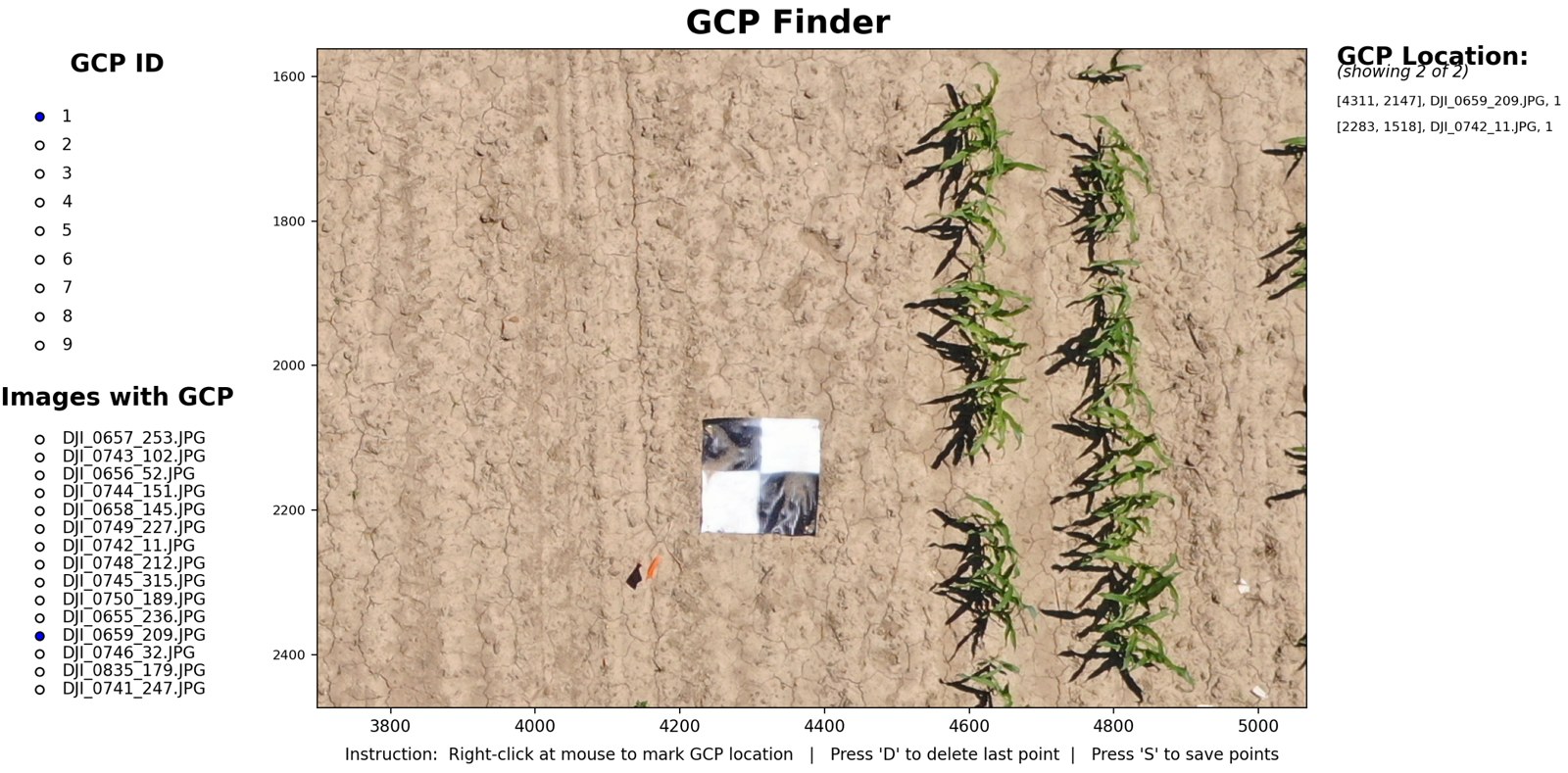
GCP Finder window with a checkerboard ground control point in a maize field image
GCP FinderRight-click a ground control point in each image to mark its location, then save for orthomosaic generation.
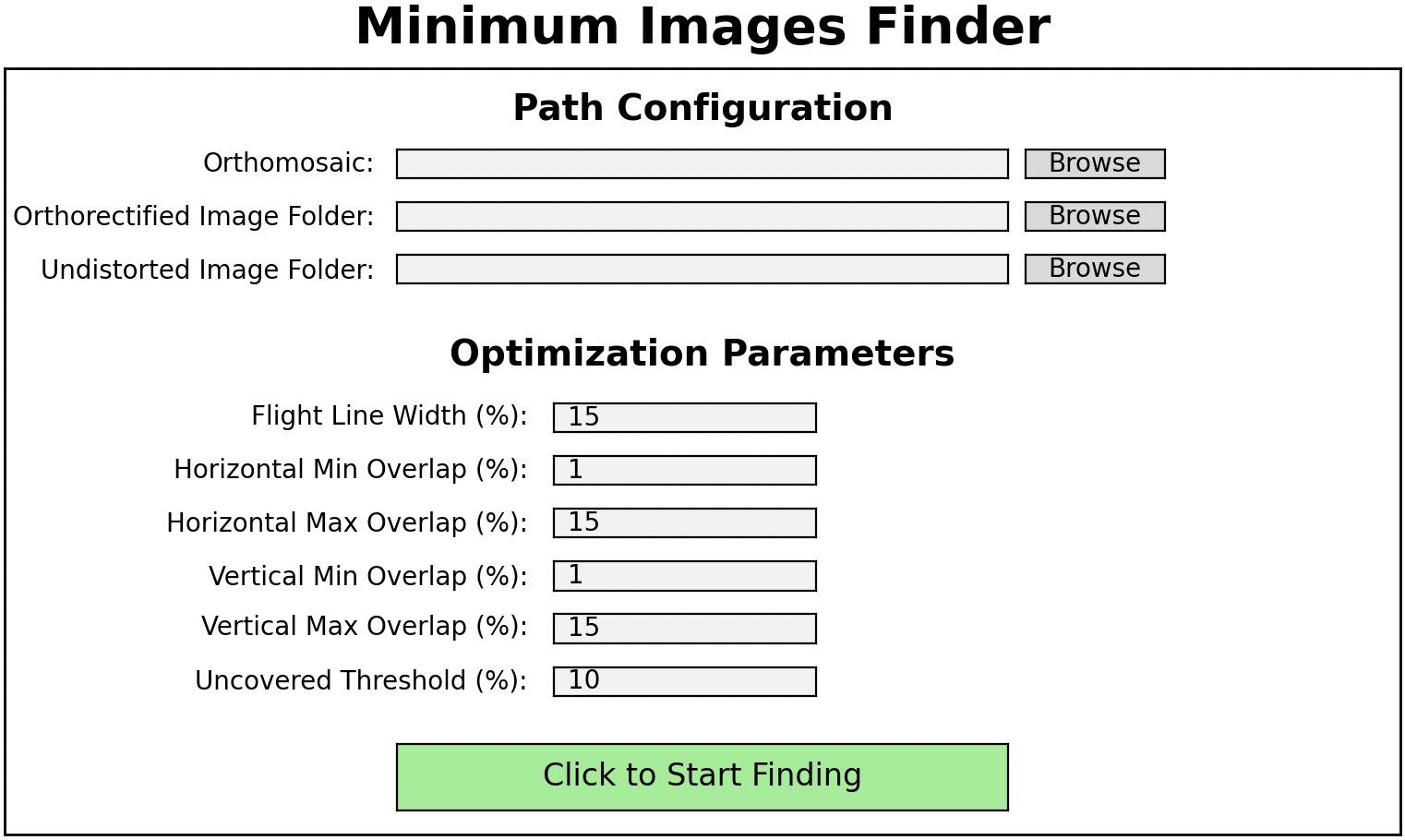
Minimum Images Finder window with path and optimization settings
Minimum Image FinderSet the overlap limits and let the tool pick the smallest set of images that still covers the field.
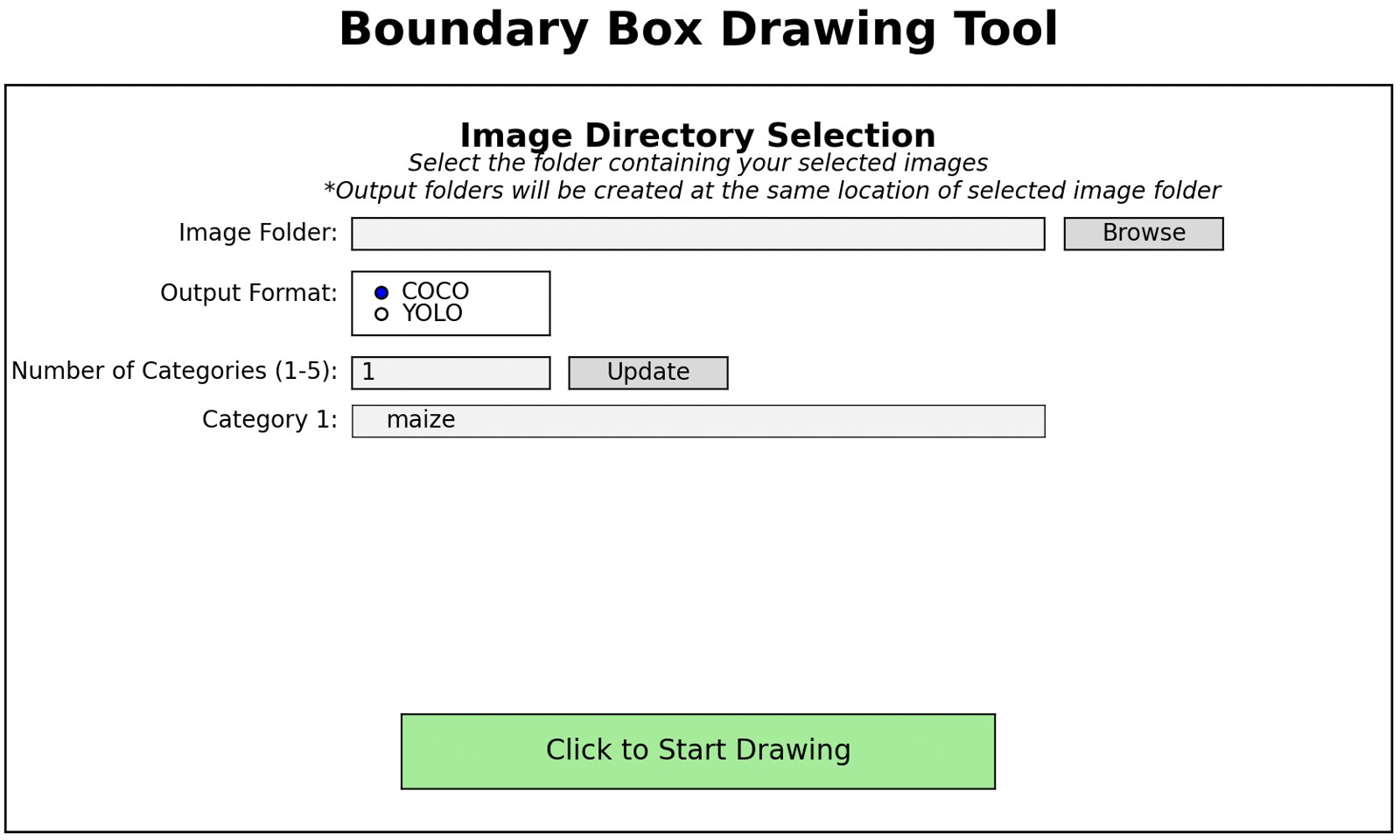
Boundary Box Drawing Tool window with image folder, output format and category fields
BBox DrawerChoose a folder, set up to five categories and an output format (COCO or YOLO), then draw bounding boxes by hand.
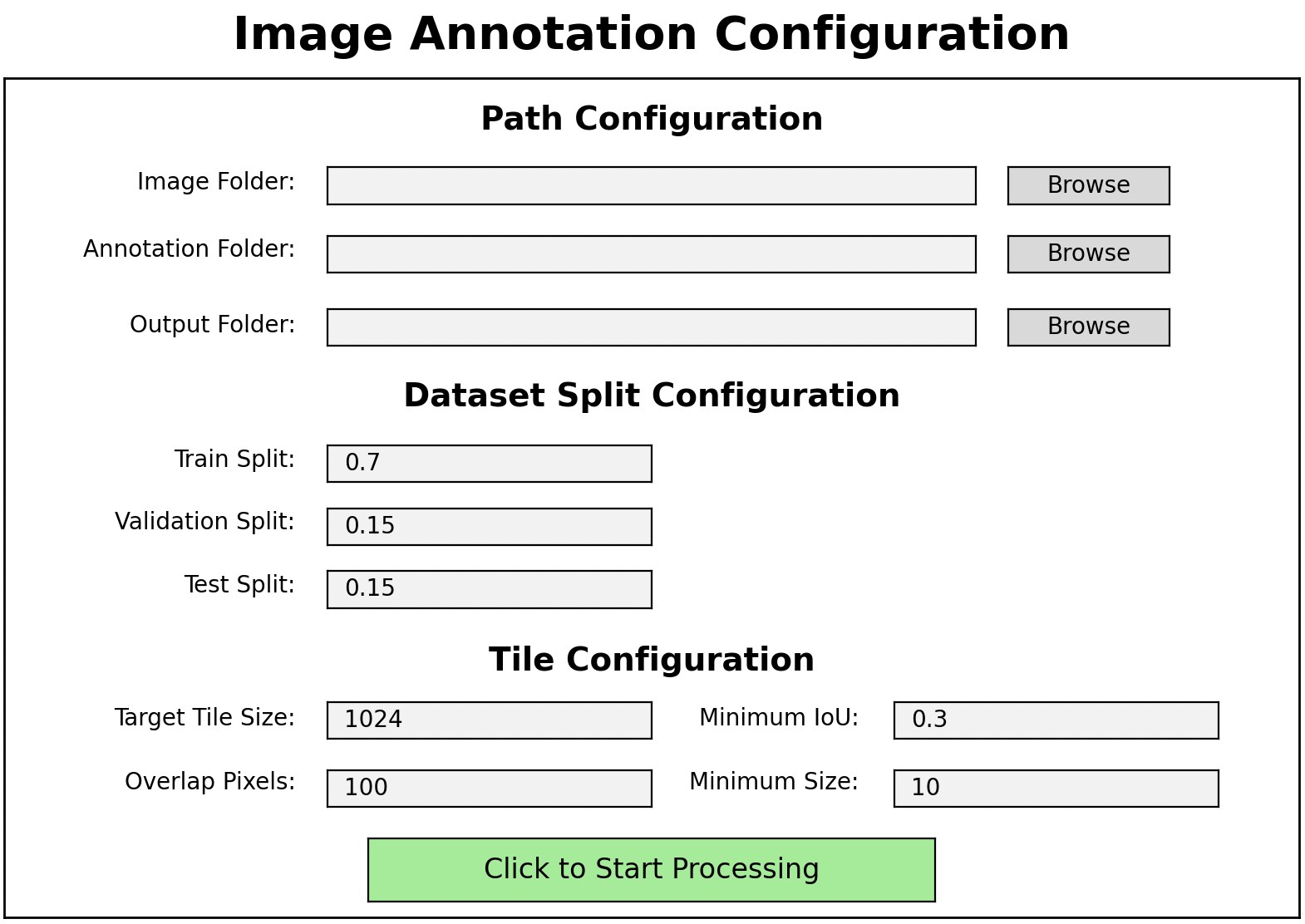
Image Annotation Configuration window with split and tile settings
Image SplitterTile large images and split them into training, validation and test sets with matching annotations.
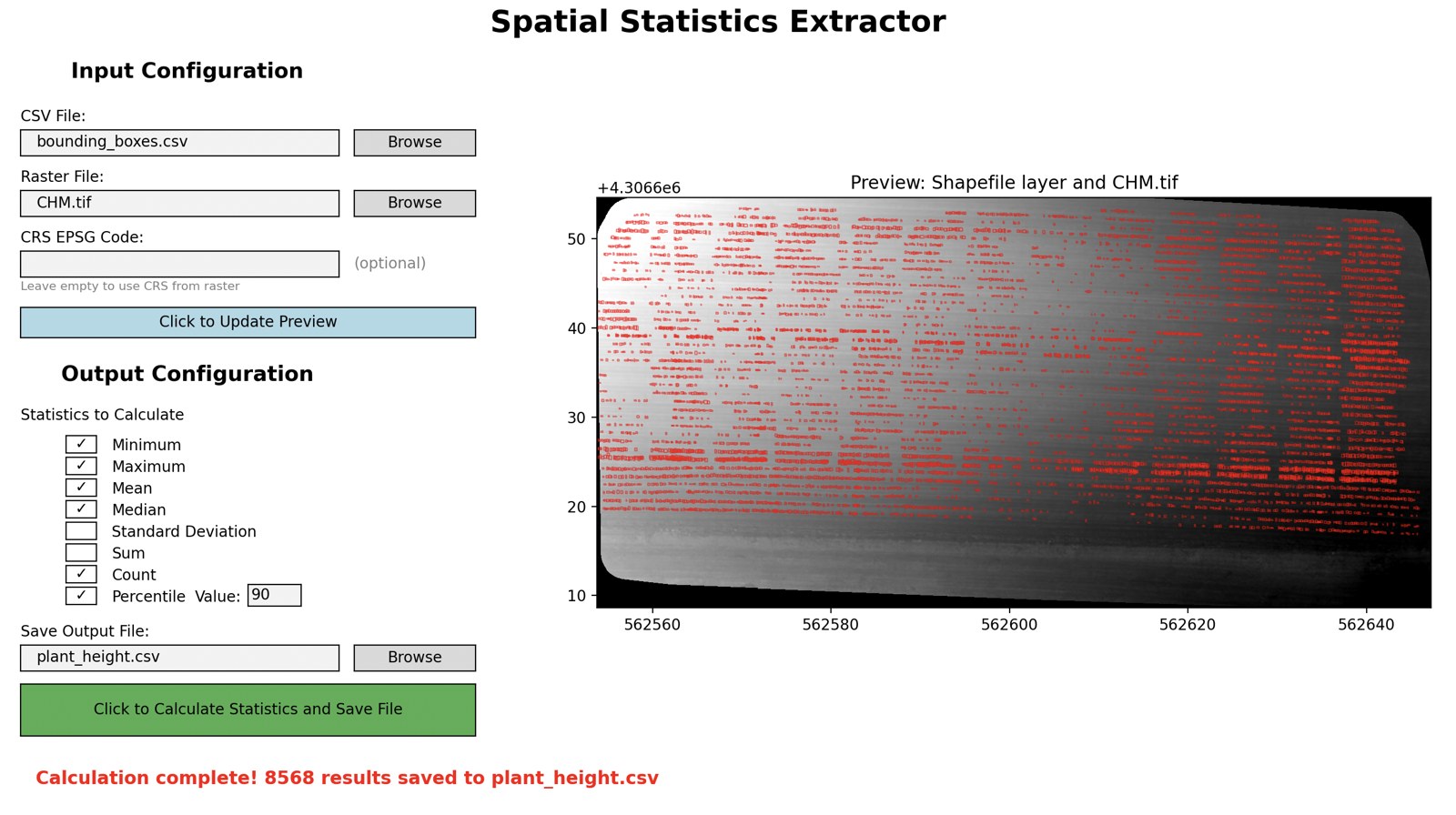
Spatial Statistics Extractor window with settings and a preview of detected plant boxes over a canopy height model
Spatial Stats ExtractorChoose a detections file and a raster such as a canopy height model, pick statistics, and export per-plant results.
Browse all five tool windows
The dashboard

Watch a dashboard example.

See how to use the MatchPlant dashboard before installing it.

2 min 26 sec · Dashboard walkthrough
Run MatchPlant locally

Download once. Launch from your computer.

The dashboard opens in your browser. Processing and native GUI tools run on your machine.

Download MatchPlant ZIP ↗Unzip it, then open the dashboard folder. Keep its contents together.

macOS

  1. Double-click 1_Setup_macOS.command once.
  2. Double-click 2_Start_macOS.command whenever you want to use MatchPlant. macOS may ask you to approve this file the first time.

Windows

  1. Double-click 1_Setup_Windows.bat once.
  2. Double-click 2_Start_Windows.bat whenever you want to use MatchPlant.

If setup cannot find Python 3.9+: Follow the choices in its window, then run the same setup file again.

macOS installation help: “Not Opened” warning

If macOS cannot verify 1_Setup_macOS.command or 2_Start_macOS.command, that file has not run. First confirm your download came from the official MatchPlant repository ↗.

  1. Click Done in the warning.
  2. Open System Settings → Privacy & Security and scroll to Security.
  3. Click Open Anyway for the file macOS blocked, then confirm Open.

If Open Anyway is missing, double-click the blocked file again and return to Privacy & Security. You may need to do this once for 1_Setup_macOS.command and once for 2_Start_macOS.command. See Apple’s instructions ↗

Local dashboard: Start opens it automatically at 127.0.0.1:5050. Keep the dashboard server window open while you work.
The project and paper

Built on published research.

Sangjan, W., Pandey, P., Best, N. B., & Washburn, J. D. (2026). MatchPlant: An Open-Source Pipeline for UAV-Based Single-Plant Detection from Undistorted Images with Orthomosaic Projection. Smart Agricultural Technology, 15, 102421.